
Call us now :07313727211
 Send Inquiry
 Send Inquiry
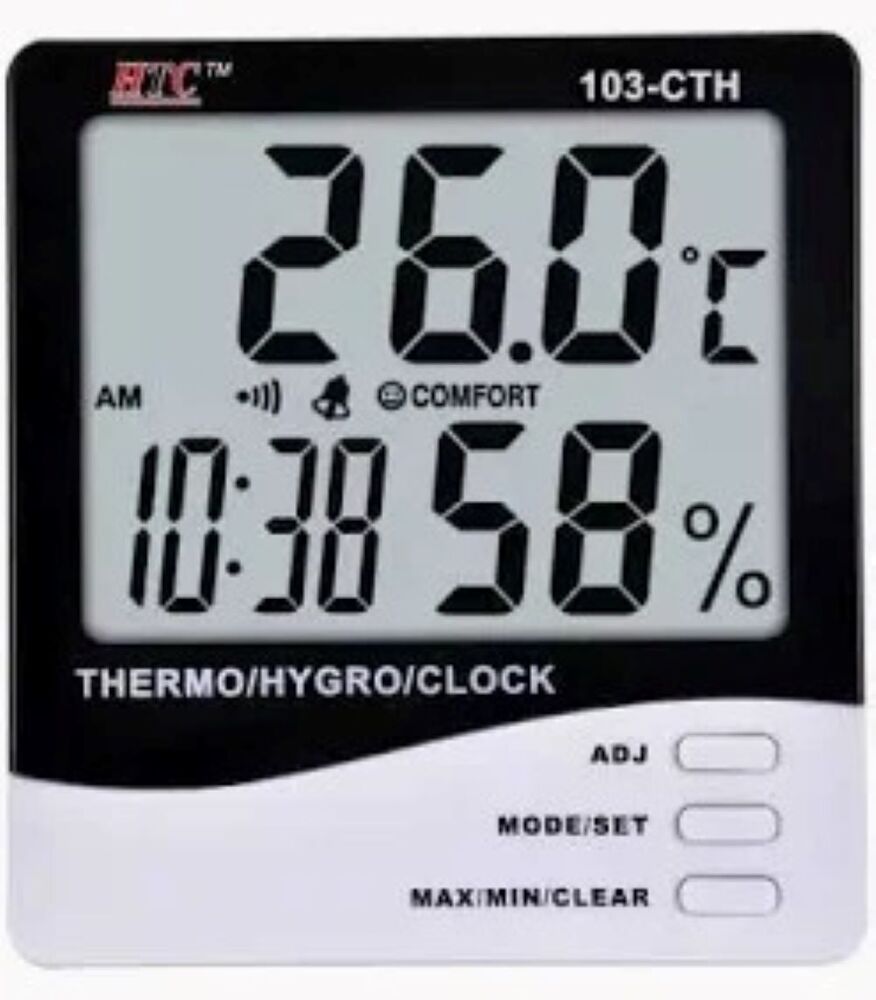
thermo hydrometer
Price 500 INR/ Number
MOQ : 1 Number
thermo hydrometer Specification
- Accuracy
- Temperature: 1C, Humidity: 5%
- Temperature Resistance
- Temperature measurement range 0C to 50C
- Shape
- Square
- Power Supply
- Battery
- Display Type
- Large LCD Digital Display
- Control Type
- Button Control (ADJ, MODE/SET, MAX/MIN/CLEAR)
- Features
- Temperature, humidity, and clock display; Comfort level indicator; Max/min memory; Alarm clock; 12/24-hour format
- Type
- Digital Thermo-Hygrometer
- Dimension (L*W*H)
- Approx. 110mm x 100mm x 20mm
- Equipment Type
- Thermo-Hygrometer/Clock
- Equipment Materials
- Plastic, Electronic Components
- Power
- Battery-powered (1 x AAA battery)
- Voltage
- 1.5V DC (battery)
- Material
- ABS Plastic
- Application
- Indoor temperature and humidity monitoring
- Comfort Indicator
- Yes, graphical comfort level display
- Color
- Black and White
- Operating Temperature
- 0C - 50C
- Weight
- Approx. 120g
- Alarm Function
- Yes, audible alarm
- Storage Conditions
- -10C - 60C
- Battery Type
- AAA
- Model Number
- 103-CTH
- Humidity Measurement Range
- 10% RH - 99% RH
- Mounting Options
- Tabletop or Wall Mountable
- Data Hold
- Memory for maximum and minimum values
- Clock Function
- Yes, with AM/PM or 24-hour modes
thermo hydrometer About
Product Details:
| Minimum Order Quantity | 1 Piece |
| Mount Type | Wall Mount |
| Long Stem length | 30cm |
| Heat Capacity | 60 Degree |
| Brand | TNEI |
| Material | Glass |
| Country of Origin | Made in India |
| Scale Type | Celsius |
| Temp Range | -10 to 50 C |
- Plastic base set of two thermometer,one with wet bulb for measuring the humidity level.
- size 27 cm x5 cm which is a wall mounted instrument.It is a economical and environmental friendly base
- It is used in workplaces,homes,laboratries,godawns for humidity and also shows the humidity levels special after rainfall and coastal areas.
Advanced Indoor Climate Monitoring
This digital thermo-hygrometer efficiently monitors indoor temperature and humidity levels, helping you maintain a healthy environment. The large LCD display ensures that readings are easy to view from a distance, while the graphical comfort level indicator instantly notifies you of current air quality conditions. Whether you prefer placement on a desk or wall, flexible mounting options facilitate seamless integration into any indoor space.
Intuitive Functions for Everyday Use
Set the clock in AM/PM or 24-hour format and take advantage of the integrated alarm. The data hold feature lets you capture maximum and minimum temperature and humidity records, making it simple to track changes over time. Equipped with user-friendly control buttons (ADJ, MODE/SET, MAX/MIN/CLEAR), adjustments and settings are straightforward, even for first-time users.
FAQ's of thermo hydrometer:
Q: How do I use the Model 103-CTH thermo-hygrometer for monitoring room conditions?
A: Simply power the device with a single AAA battery, then place it on a tabletop or mount it on a wall. The large LCD display shows real-time temperature and humidity readings, with the graphical comfort indicator providing immediate feedback on air comfort levels.Q: What is the process for switching between 12-hour and 24-hour clock formats?
A: To change the clock format, press the MODE/SET button until the time display blinks. Use the ADJ button to select either AM/PM (12-hour) or 24-hour format, then press MODE/SET to confirm your selection.Q: When should I use the maximum and minimum value memory function?
A: Utilize the max/min memory function to monitor environmental trends by recalling the highest and lowest temperature and humidity levels recorded since the last reset. This is useful for tracking daily fluctuations or assessing long-term room conditions.Q: Where can the 103-CTH be installed for best results?
A: Install the device indoors, away from direct sunlight and moisture. It can be placed on desks, shelves, or mounted on a wall in living rooms, bedrooms, offices, or other climate-sensitive spaces for optimal monitoring accuracy.Q: What benefits does the comfort level indicator offer?
A: The graphical comfort level display allows you to quickly assess whether the current temperature and humidity are within a comfortable range, helping you take timely action to improve your indoor climate.Q: How do I activate or deactivate the alarm function?
A: To set or turn off the alarm, use the MODE/SET button to enter alarm setting mode. Adjust the desired alarm time with the ADJ button. Press MODE/SET again to confirm. To deactivate, switch the alarm off in the same menu.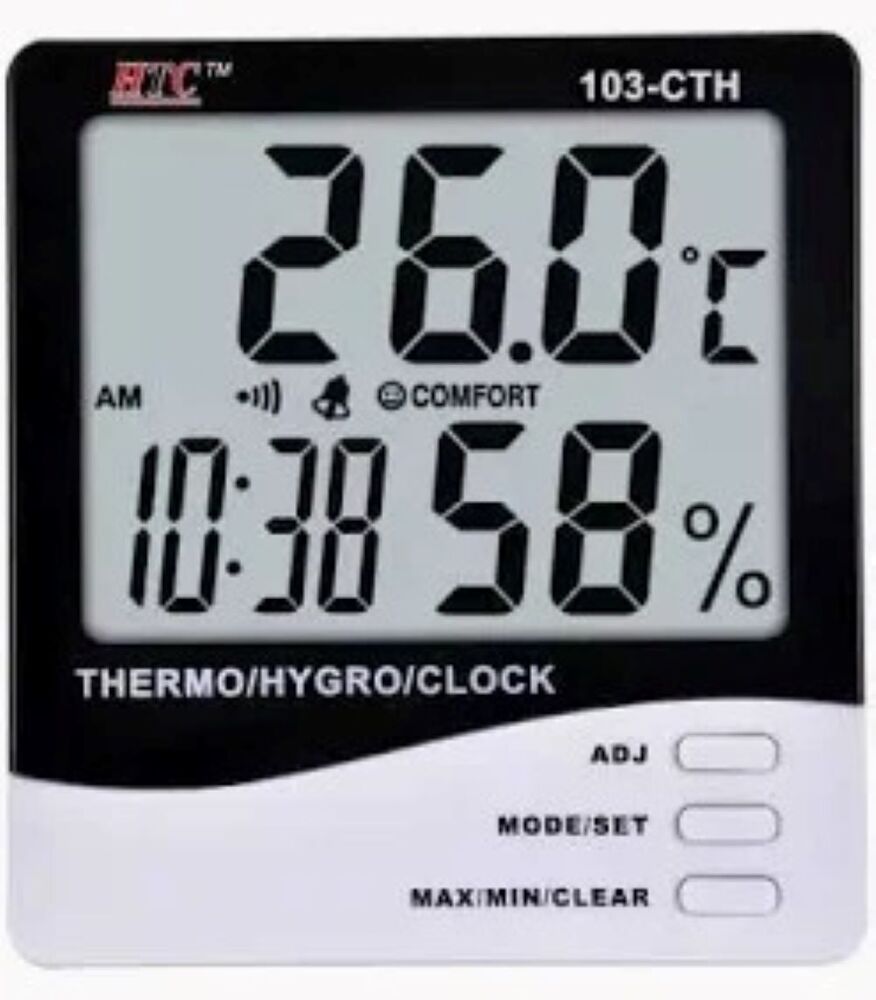
Tell us about your requirement

Price:
Quantity
Select Unit
- 50
- 100
- 200
- 250
- 500
- 1000+
Additional detail
Mobile number
Email

More Products in Scientific Equipment Category
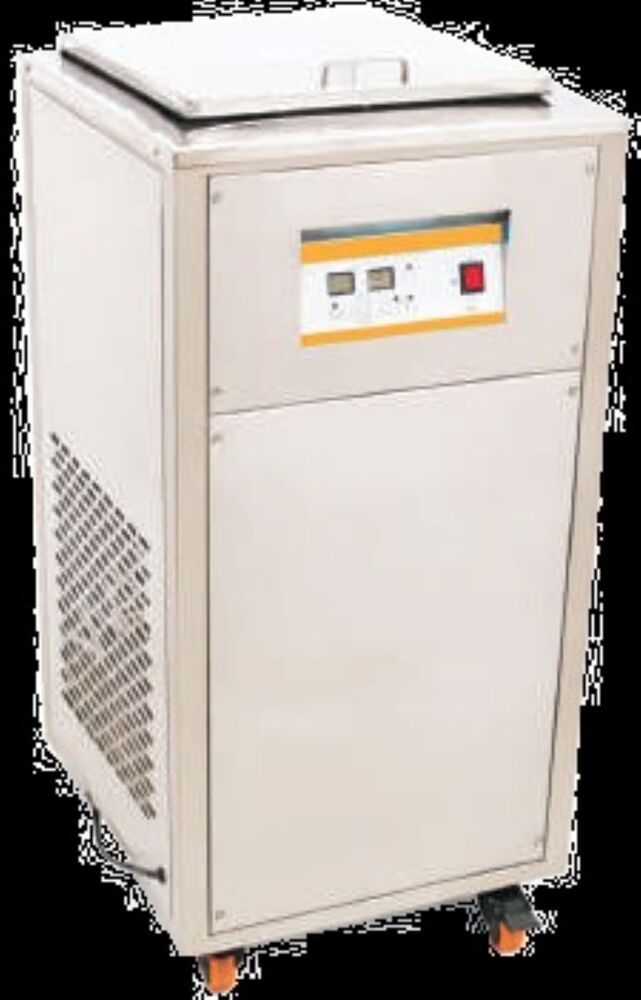
Digital ultra sonic cleaner with chiller
Price 190000 INR / Number
Minimum Order Quantity : 1 Number
Display Type : Digital LED Display
Control Type : Digital MicroprocessorBased Control
Equipment Type : Ultrasonic Cleaning Machine with Inbuilt Chiller
Features : Inbuilt chiller, timer, temperature control, mobility wheels, stainless steel tank
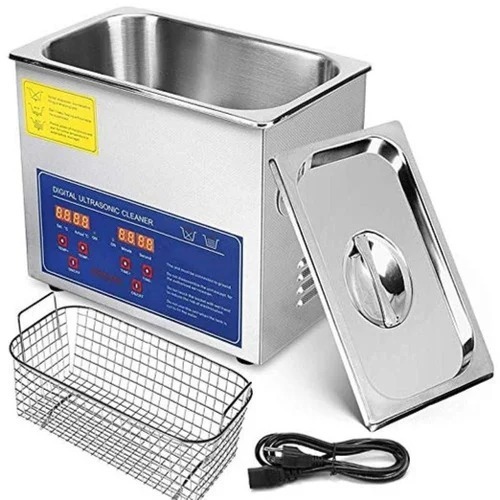
Digital ultra sonic cleaner
Price 11500 INR / Number
Minimum Order Quantity : 1 Number
Display Type : Digital LED Display
Control Type : Digital Control Panel
Equipment Type : Ultrasonic Cleaning Equipment
Features : Digital Timer & Heater, Stainless Steel Construction, Removable Basket, Lid
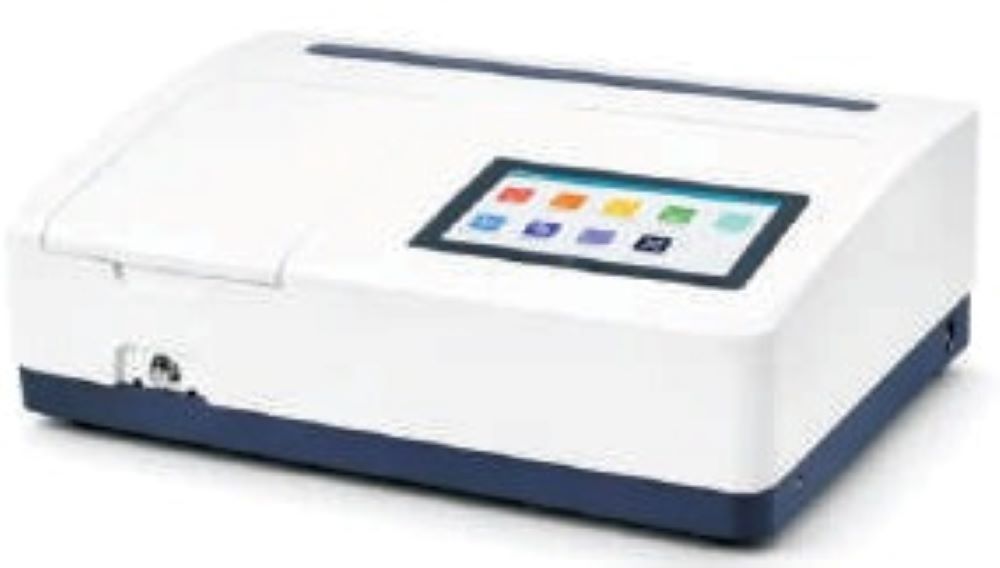
Double Beam Spectrometer
Price 330000 INR / Number
Minimum Order Quantity : 1 Number
Display Type : Touch Screen Display
Control Type : Microprocessorbased Control
Equipment Type : Optical Analysis Instrument
Features : Simultaneous measurement, Scanning mode, Userfriendly interface, Builtin printer option
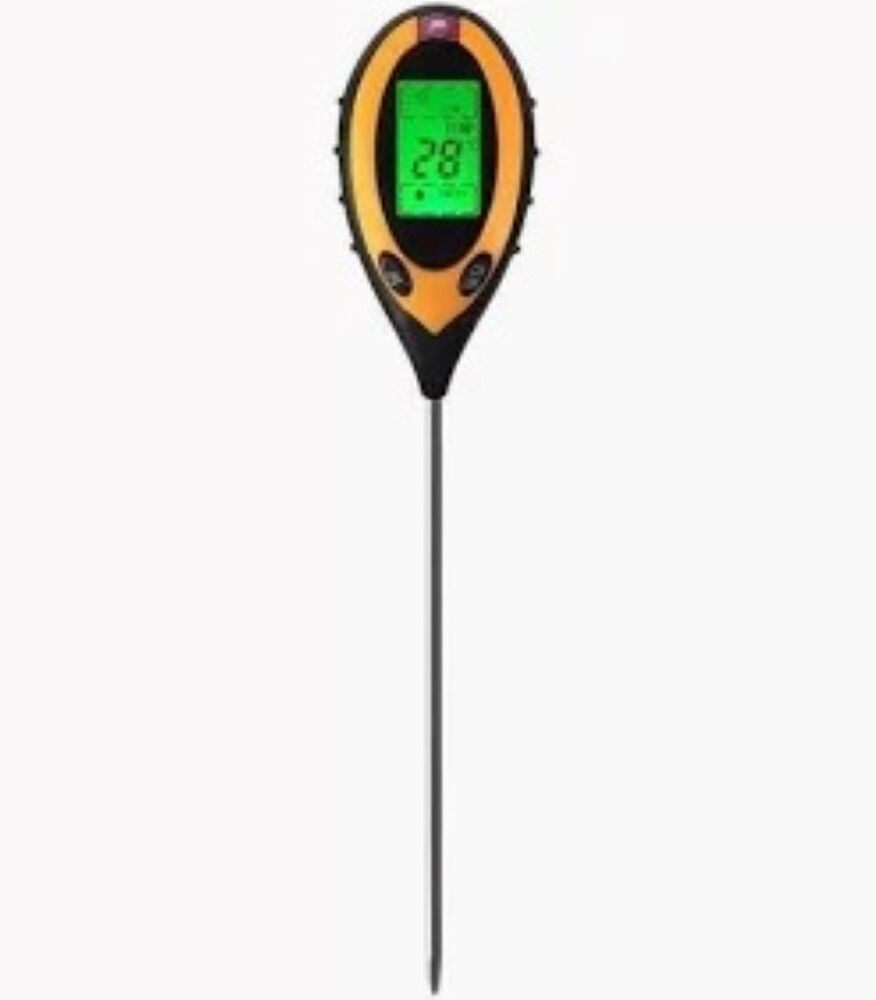
soil ph meter
Price 3000 INR / Number
Minimum Order Quantity : 1 Number
Display Type : Digital LCD Display (Backlit)
Control Type : Button/Pushtype controls
Equipment Type : Electronic Soil pH Measuring Device
Features : Portable, Lightweight, Easy to Use, Low Battery Indicator

We are dealing in Coimbatore, Chennai and Tamilnadu.
 Send Inquiry
Our Products
- Concrete Testing Equipment
- Survey Lab Equipment
- Construction Equipment
- Concrete Testing Machine
- Soil Test Machine
- Survey Instrument
- Auto Level
- Cement Testing Machine
- Soil Testing Equipments
- Soil Testing Equipment
- Civil Engineering Lab Equipment
- Total Station
- Soil Test equipments
- Auto Level
- Concrete Highway Engineering lab
- Mechanical Engineering Lab Equipment
- Weighing Scale
- Laboratory Testing Equipment
- Workshop Trolleys
- Compression Testing Machine
- Water Testing Equipment
- Vertical Milling Machine
- Moulding Products
- CNC Machines
- Measuring Ruler
- Cylinder Carrier
- Core Cutting Machine
- Digital Measuring Machine
- Hydraulic Jack
- Drawing Instruments
- Fuel Testing Equipment
- Dynamics Lab Equipment
- Hydraulics and Fluid Mechanics Lab Equipment
- Heat Transfer Lab Equipment
- Scientific Equipment
- Surgical Equipment
- Hot Air Oven
- Impact Testing Machine
- Torsion Testers
- Bernoullis Theorem Apparatus
- Wooden Tripod
- Liquid Mercury
- Vibrating Table
- Material Testing Equipment
- Agriculture Equipment
- Waste Water Analysis

SF No. 189/1B1A, 191/3A1A1E, Sidco Private Industrial Estate, LIC Colony, Kurichi Pudhu Nagar, Kuruchi Housing,Coimbatore - 641021, Tamil Nadu, India

Mr Balamurugan C
(Manager)
Mobile :07313727211
 Send Inquiry
 Send SMS
Developed and Managed by Infocom Network Private Limited.
